How to Identify Anonymous Website Visitors Without a Form
Category
Growth
Published Date
ClientX Team
Content Team
Summary
Forms only capture a small fraction of your visitors. Here's how identity resolution and reverse-IP lookup let you find out who's on your site without ever asking them to fill anything out.
Share this article
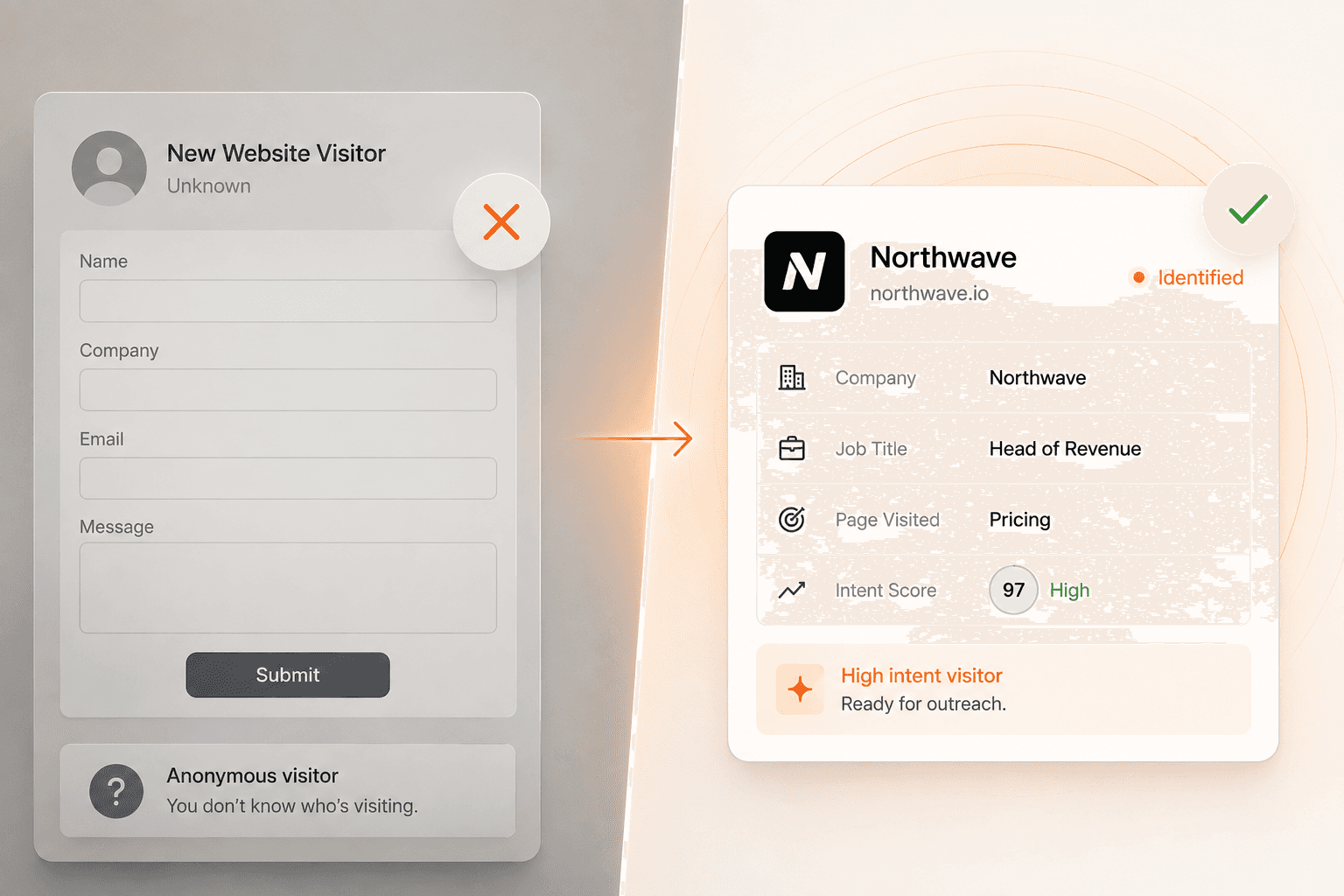
Forms have a fundamental problem: they only capture people willing to trade their information for something, at the exact moment they're willing to do it. Most B2B buyers aren't there yet on their first, second, or even third visit. It's commonly cited in B2B marketing circles that the overwhelming majority of visitors to a typical marketing site never fill out a single form. That doesn't mean they aren't good-fit prospects. It means your form is a bad instrument for measuring interest.
The good news is you don't need a form to find out who's on your site. Two complementary techniques, reverse IP lookup and identity resolution, can surface company and even individual-level detail from traffic you'd otherwise write off as anonymous.
Why forms miss almost everyone
A form asks a visitor to do something active: type an email, maybe a phone number, hit submit, and often hand over contact details to a stranger's sales team. Every one of those steps loses people. Buyers browsing early in their research, reading your docs, comparing pricing, checking a case study, have no incentive to do that yet. They're not being cagey; they just don't have a reason to identify themselves before they're ready to talk to someone.
The result is a familiar pattern. Your analytics show real traffic from what look like exactly the right kind of companies, and your CRM shows almost none of them as leads. The visitors were real. The form just never caught them.
Method 1: reverse IP lookup for company-level data
Every device connecting to the internet does so through an IP address, and business internet connections are usually registered to the company that owns them. Reverse IP lookup services maintain databases mapping IP ranges to company names. When a visitor lands on your site, their IP is checked against that database in real time, and if there's a match, you get a company name, plus often size, industry, and location, without the visitor doing anything at all.
This is passive by design. There are no cookie consent banners to dodge, no visitor action required, nothing for the visitor to notice. The tradeoff is resolution: you get "someone from Acme Corp visited," not "who specifically."
Where it breaks down: remote and hybrid workers connecting from home ISPs, which resolve to the ISP rather than the employer; VPN and privacy-tool users; and shared coworking-space IP ranges that host dozens of unrelated companies. Match rates on B2B SaaS traffic typically land somewhere in the 20 to 40 percent range depending on your audience's remote-work habits. Useful, but not comprehensive on its own.
Method 2: identity resolution for person-level data
This is the newer, more granular layer. Rather than only mapping IPs to companies, identity resolution cross-references browser and device signals against consumer identity graphs, the kind of aggregated, privacy-compliant data used across ad-tech for years, to resolve a specific person: name, job title, LinkedIn profile, sometimes a business email.
Practically, that turns "someone from Acme visited your pricing page" into "Priya Shah, VP of Sales at Acme, visited your pricing page twice this week and read your integrations doc." That's the difference between a data point and something a rep can actually act on.
Match rates here vary more than company-level lookup. Traffic sourced from LinkedIn or paid social tends to resolve better than cold organic search, and B2B audiences resolve better than consumer ones. No vendor gets everyone; a realistic range across a typical B2B site is somewhere in the 10 to 20 percent of total sessions resolving to a named individual, which is still an enormous lift over the near-zero form-fill rate on cold traffic.
Setting it up without asking visitors for anything
In practice, implementation stays close to invisible to the visitor:
Drop a tracking script (or use a chat widget that already includes one) on your site. There's no consent flow beyond your existing cookie and privacy notice, since this typically runs on the same legal basis as standard analytics.
The tool resolves IP and device signals against its databases in the background as the page loads.
Matches get pushed somewhere your team actually looks, whether that's a Slack channel, a CRM record, or a dashboard, ideally in near real time, since a visitor who was on your pricing page ten minutes ago is a very different opportunity than one from three weeks ago.
Set thresholds for what counts as worth alerting on. Not every identified visitor needs a Slack ping; a single blog-post pageview from a small company is different from a repeat visit to your pricing page from someone at a target account. Most platforms let you filter on page, company size, or visit frequency.
From identification to action
Identifying a visitor only helps if something happens next, and this is where a lot of teams stall out. They get a growing feed of "Company X was on your site" with no reliable process to act on it before the moment passes. A rep manually checking a dashboard once a day will always be too slow for the visitor who's on your site right now, actively comparing you to a competitor.
That's why identification increasingly gets paired with something that can respond immediately: a chat agent that can greet a returning, identified visitor by context ("Welcome back, looks like you were checking out our pricing"), answer their specific questions from your knowledge base, and book a meeting on the spot, rather than routing every match into a queue for a human to eventually get to. ClientX combines the identification layer with exactly this kind of always-on response, so an identified visitor doesn't just become a data point in a spreadsheet. They get engaged while they're still on the page.
Your form was never the ceiling on who you could identify. It was the floor. Everything above it is sitting in your traffic logs right now, waiting for a better instrument to read it.